Easy Bass
Free play
Place pads, each with a note and a technique, on the screen and hit the ones you want. This is an iOS feature.
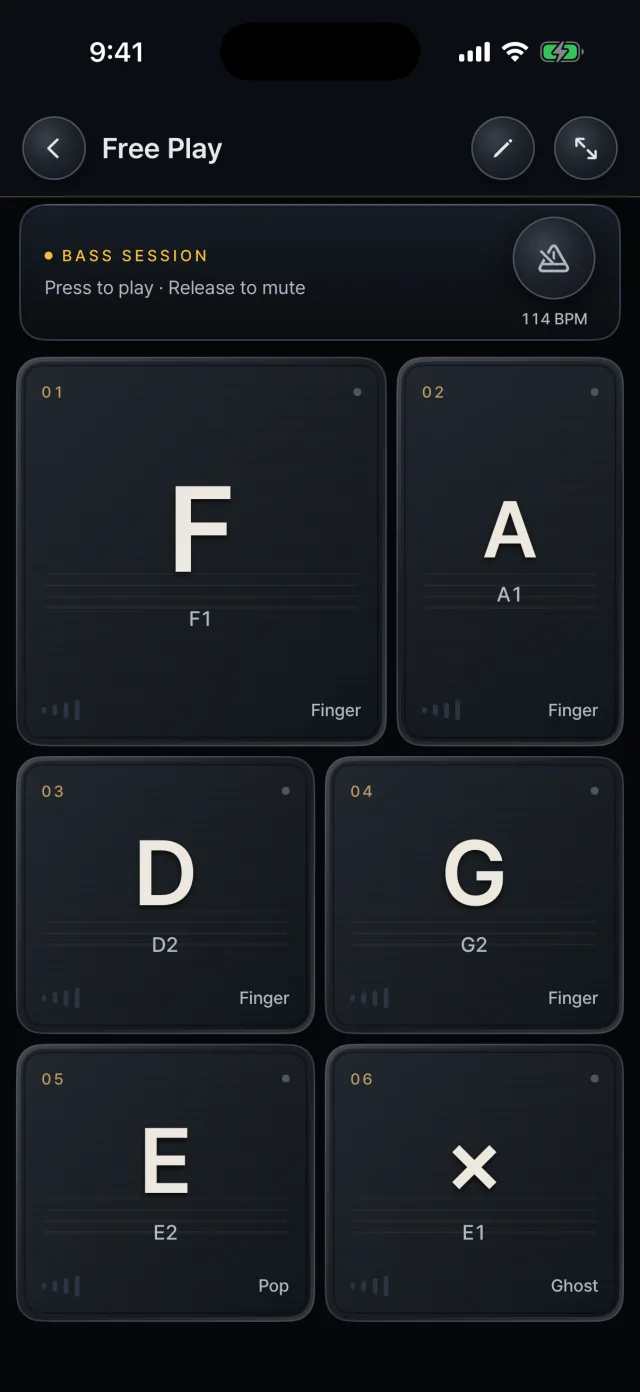 The default free play layout
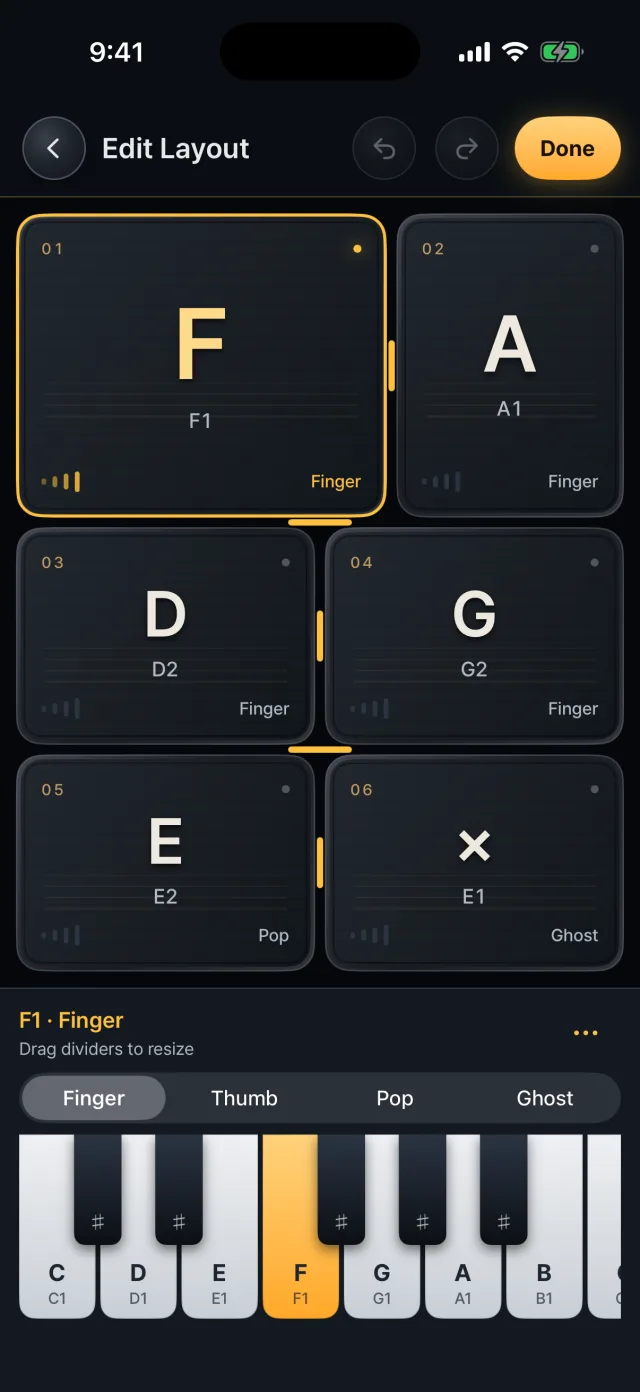 Edit mode

Playing
- A pad sounds when pressed and is muted when released.
- Two fingers can alternate on the same pad.
- Unlike song play, there is no fixed order, so you hit any pad in any order.
- The metronome and full-screen mode are at the top.

A pad's note and technique
- Each pad has a note, from C1 to C4.
- The technique is finger, thumb, pop or ghost. Ghost pads are marked ×.
- The first layout is six pads in three rows: E1·A1 / D2·G2 / E2 pop·E1 ghost.

Adding and deleting pads
- Use the ⋯ menu in edit mode to add or delete pads.
- A row holds up to two pads and there are up to four rows, so up to eight pads; at least one must remain.

Layout and size
- In edit mode, drag the borders between pads to change row heights and the widths of pads within a row.
- Select a pad, then change its note on the keyboard.
- Undo and redo go back up to 200 steps.

Saving
- Changes are saved automatically and kept after you restart the app.
- One layout is stored, separate from the song library.