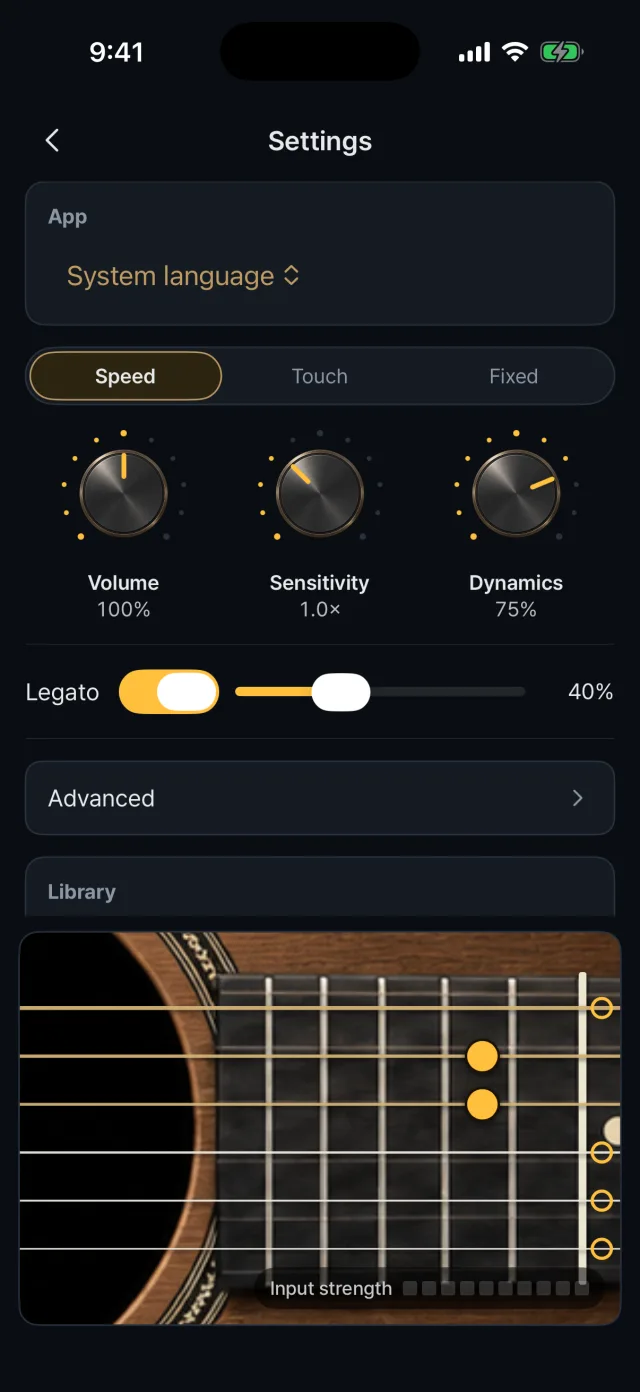
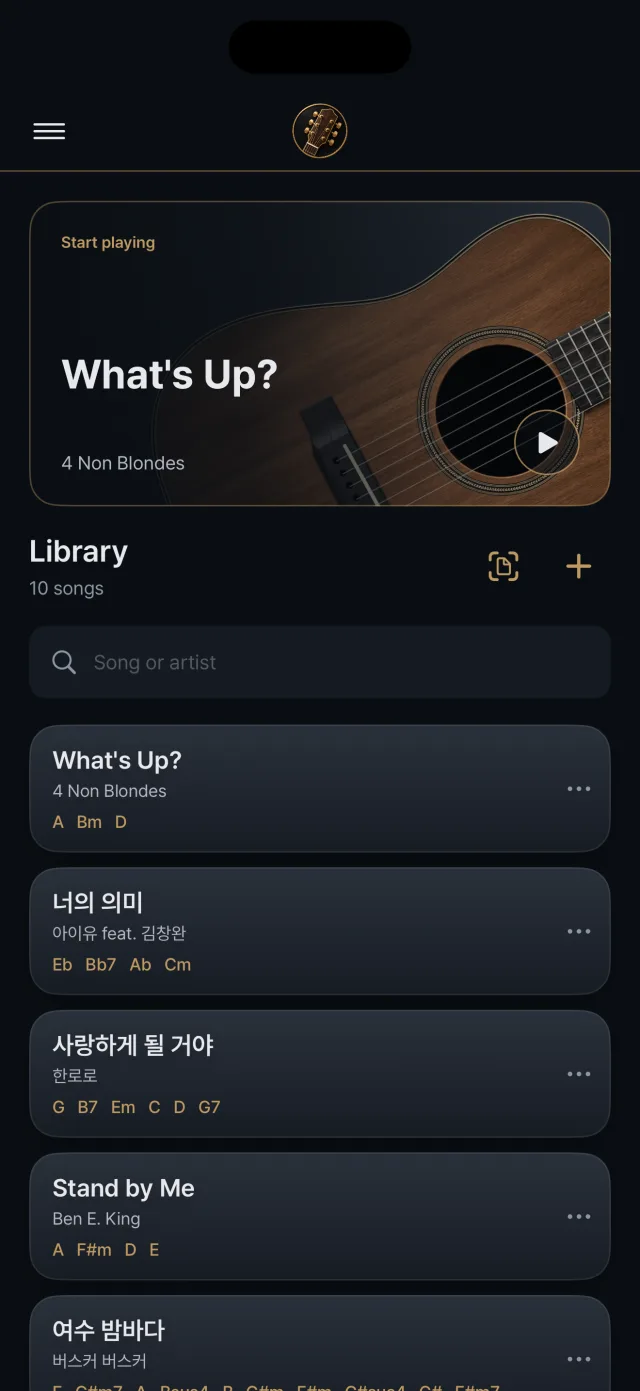
The settings that shape how it feels to play, and the library for finding and organizing songs.
Settings: dynamics mode and knobs
Library: recent play and the song list
Guitar sound
Choose steel or nylon guitar sounds.
String balance offers even, bass emphasis and treble emphasis.
Dynamics mode
Speed Default. Strength follows how fast your finger crosses the string.
Touch Based on the contact area of your finger and the shaking of the phone. “Fit to my hand” lets you calibrate by playing five soft and five hard strums.
Fixed Always plays at the same strength.
Play knobs
Below the settings is a test surface with an Em chord and an input-strength meter so you can check changes at once.
“Play feel to defaults” and “All settings to defaults” reset them.
Volume 50 to 150% (100% by default)
Sensitivity 0.5 to 2.0× (1.0× by default)
Dynamics 0 to 100% (75% by default). Soft playing goes down to as little as 10% of the loudest.
Library
Ten songs are included at first. They contain only the chord layout, with no lyrics or scores.
The song you played most recently is shown large at the top, and you can search by song or artist. Song cards list the chords.
Restore deleted built-in songs with Restore built-in songs in settings. Songs you edited stay as they are.
Managing songs
Song info: reference key, source, imported chart information and transpose
Rename: no duplicates, up to 40 characters
Duplicate: makes a “copy” song
Delete: undo straight from the message at the bottom
The import-chart and add-song buttons are at the top of the library
Storage
Songs are stored on the device and no account is needed.
There is no file export or sync with another device.