Music Practice
YouTube practice
Paste a YouTube link to play the video inside the app, change its speed and repeat an A/B section. It is free.
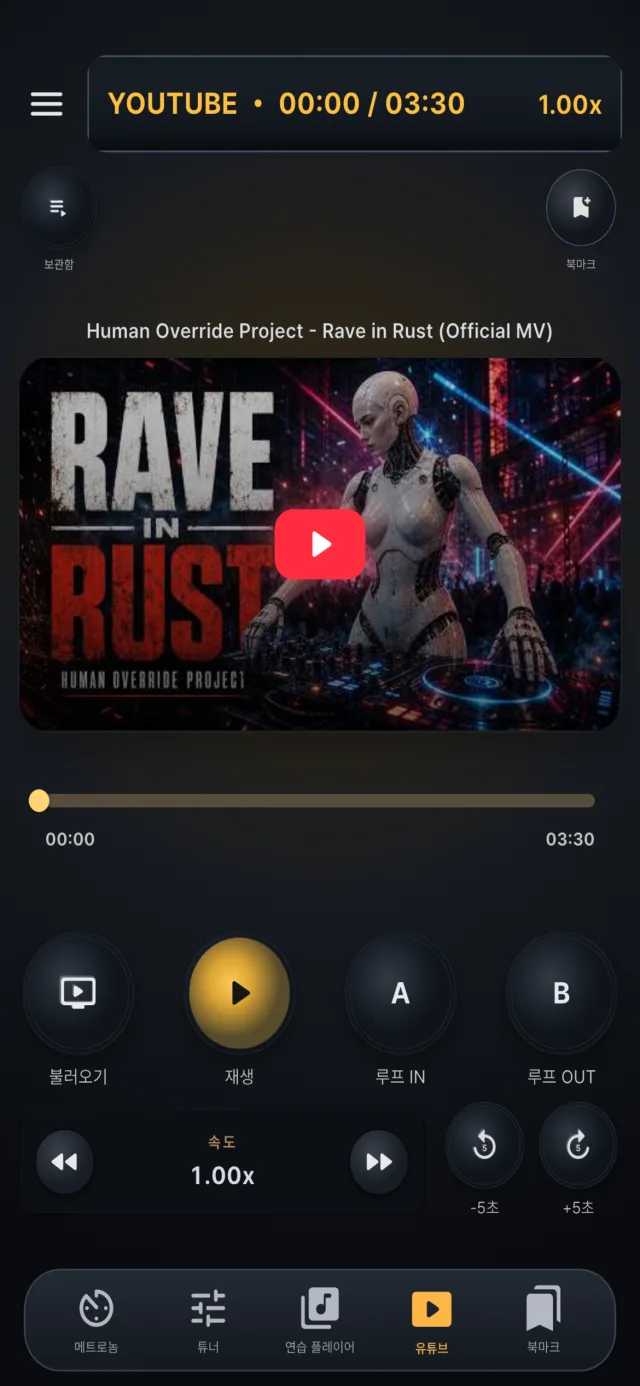

Loading a video
- Paste a YouTube link or an 11-character video ID.
- The youtu.be, youtube.com/watch?v=, /embed/, /shorts/ and /live/ formats are recognized.
- Playlist links are not supported and there is no search inside the app.

Playback
- The video plays in the in-app player, with a thumbnail shown before you start.
- You can set a start position.
- An internet connection is required.
- A video that does not allow embedding will not play and YouTube's error is shown.

Speed
- Change the speed from 0.25 to 2.0× in 0.25 steps.
- The steps are coarser than in the practice player.

A/B repeat
- Set an A point and a B point to repeat that section.
- The loop checks the playback position every half second, so its edges can be less exact than looping an audio file.

Video library
- Loaded videos are saved in a list ordered by recent use, and can be loaded again or deleted.
- A few example videos are included on first launch and are not refilled once you delete them.
- The last state is saved too.

Bookmarks
- Save the video ID, link, title, speed and A/B section as a bookmark and load it later.