Easy Bass
Sounds & library
Assign a playing technique to each note, find and organize songs in the library, and export songs one at a time as files.

Seven techniques
- Normal Played with the song's default sound.
- Slide Slides to the next note.
- Hammer-on Carries on without a new attack. Pull-off works the same way.
- Gliss out Slides down and fades.
- Ghost A dull hit with no pitch.
- Thumb A thumb slap sound.
- Pop A plucked-and-released pop.

Default sound per song
- Each song's default sound is finger or slap (thumb).
- With slap, normal notes play as thumb.
- Thumb and pop can also be set note by note.
- The sounds are samples from FreePats Finger Bass (finger) and GeneralUser GS (slap); licenses are listed under Sound sources and licenses in settings.

Strength
- Set soft, medium or strong per note, and choose the strength mode for a song: tap strength, fixed, tap position or pressure.

Library
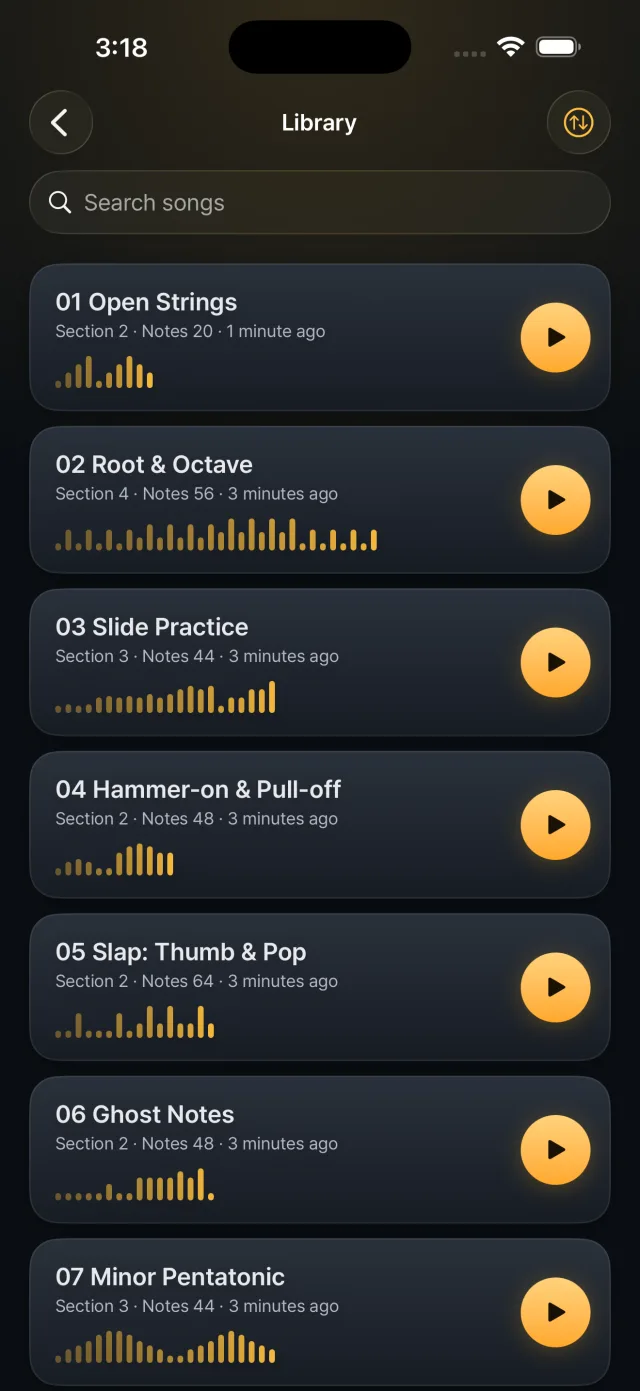
- Search by name and sort by recent, name or number of notes.
- Pin songs to the top.
- Duplicate and delete (undo from the home screen).
- Song cards show the number of sections and notes, and when you last played.
- Eight practice patterns are added on first launch, from open strings to a twelve-bar blues walking line, and can be downloaded again in settings.

Sharing and backup
- Export one song as an .easybass.json file to share it. Import a received file with Import pattern file.
- There is no whole-library backup or cloud sync. Songs are stored on the device only.
- If a save file is damaged, a recovery file is kept and Recover songs from recovery file in settings restores them.
Settings that affect playing
- Tap sensitivity 0.5 to 2.0×, tap vibration, vibration that follows the ring
- Master volume 20 to 100%
- Keep the screen on while playing, small neighboring notes, note-move animation
- Default sound and strength mode for new songs
- Note names: on iOS they are fixed to the letters C D E. On Android you can choose automatic, solfège or letters.