Music Practice
Metronome
BPM, time signature, note division, swing, tap tempo, fade-out and a tempo trainer. Some features are in Pro.
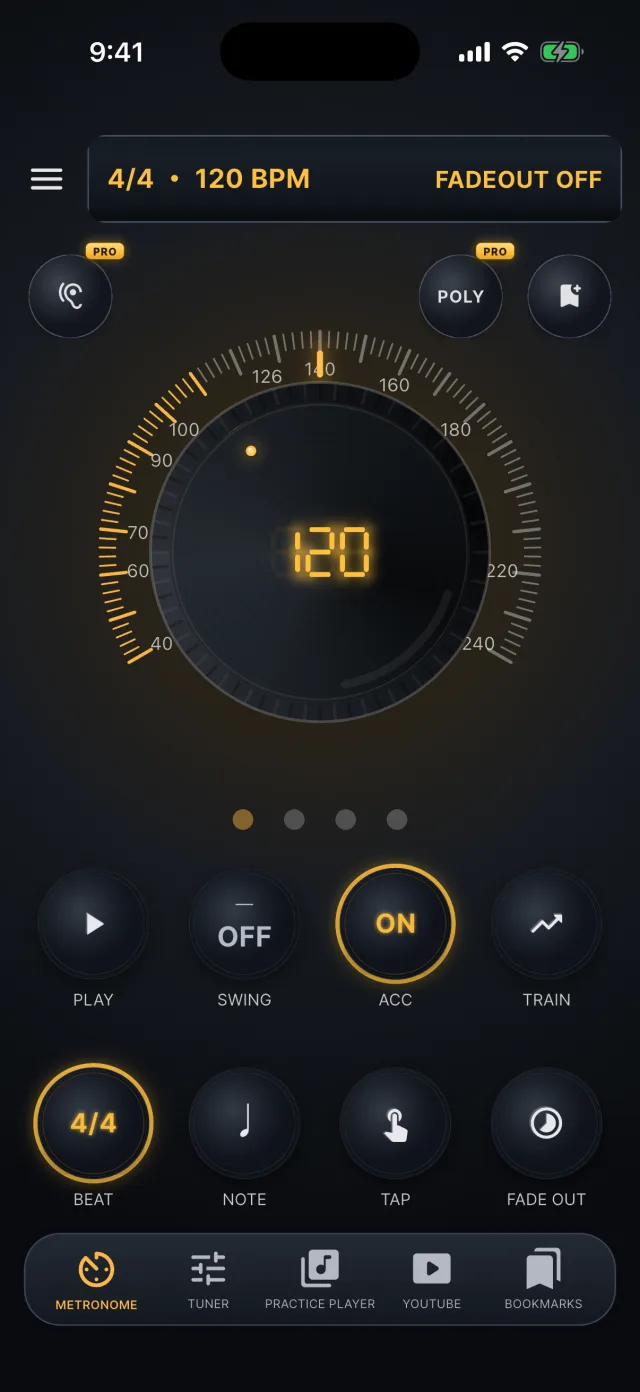

BPM
- Turn the large dial to set the tempo: 20 to 300 BPM, 120 by default.
- Drag the dial to adjust it in 1 BPM steps.

Time signature and accent
- OFF clicks the same beat in a four-beat cycle with no accent.
- Beat LEDs under the dial light up with each beat.
- Time signature 2/4, 3/4, 4/4, 5/4, 6/4, 6/8, 7/8, OFF
- Accent The first beat by default. 6/8 accents beats 1 and 4; 7/8 is grouped 2+2+3 and accents beats 1, 3 and 5.

Note division
- Choose quarter, eighth, sixteenth or eighth triplet.
- The divisions available depend on the time signature.

Swing
- Each press of the swing button steps through OFF → 54% → 58% → 62% → 66%.
- It works only with eighth or sixteenth divisions in a time signature whose denominator is 4.
- It does not turn on for 6/8, 7/8, OFF, quarter notes or triplets.

Tap tempo
- Tap the button two or more times and the BPM is calculated from the tap intervals.
- Input ends after three seconds without a tap.
- If you tap during playback, playback resumes afterwards.

Fade-out
- Lowers the click volume to silence over a time you choose, from 10 seconds to 10 minutes (1 minute by default), down to −60 dB.
- Use it to keep time after the click is gone.

Tempo trainer
- Raises the BPM from a start value to a target value over a set time.
- The start BPM is filled with the current BPM and the time is 1 to 20 minutes.
- If the start BPM is higher than the target it is not applied, so the trainer cannot slow the tempo down.
- The trainer is free.

Mute bars Pro
- Plays the click for a set number of bars and silences it for a set number of bars.
- Each is 1 to 8 bars, 2:2 by default.
- It is set in the tempo trainer sheet, so you can raise the tempo while practising in silence.
- You can choose whether the beat LEDs stay lit during the silent bars.
Mute bars in use

Polyrhythm Pro
- Layers a cross beat over the main time signature.
- The cross beat fits 2 to 9 evenly spaced hits per bar (3 by default), counted over four beats when the time signature is OFF.
- The cross sound (woodblock by default) and its volume are set separately, and the beat LEDs light in two rows.
Polyrhythm in use

Click packs and voice count Pro
- Classic is free; woodblock, rimshot, cowbell, hi-hat and beep are Pro.
- Preview each in the sheet.
- With voice count on, strong beats are spoken as numbers (up to 7 beats) while subdivisions use the selected click.
- Korean, English and Japanese are supported.
- Press and hold the ACC button to open the sheet.
Click packs and voice count

Tempo listen Pro
- Listens to music playing nearby through the microphone, finds its BPM and sets it in the metronome.
- It detects 50 to 220 BPM; after listening for at least 8 seconds and reaching enough confidence, the click starts at that tempo.
Tempo listen in use

Saving
- Bookmarks save and load the metronome state: BPM, time signature, division, swing, accent, fade-out, tempo trainer and mute bars.
- Click pack, voice count and polyrhythm are not saved.