Bring notes in from bass tab (PDF, photo, text) and MIDI files to make a song. Fix the result in the editor afterwards.
What you can import
Tab PDF / file PDF, PNG, JPEG, HEIC. Up to 30 MB; only the first 40 pages of a PDF are read.
Tab photo Pick from your photo library.
Text Paste it or import a text file. Example: G|---|
MIDI .mid files under 10 MB.
Pattern file A .json file exported from this app.
It reads four- to six-string bass tab. Standard notation (staff) is not recognized. It is not a tool for transcribing a recording or generating accompaniment.
Importing tab, step by step
1Choose an input method and add the file or text.
2Check the recognition result: staves, note count, bar count, warnings and where each note was found on the original.
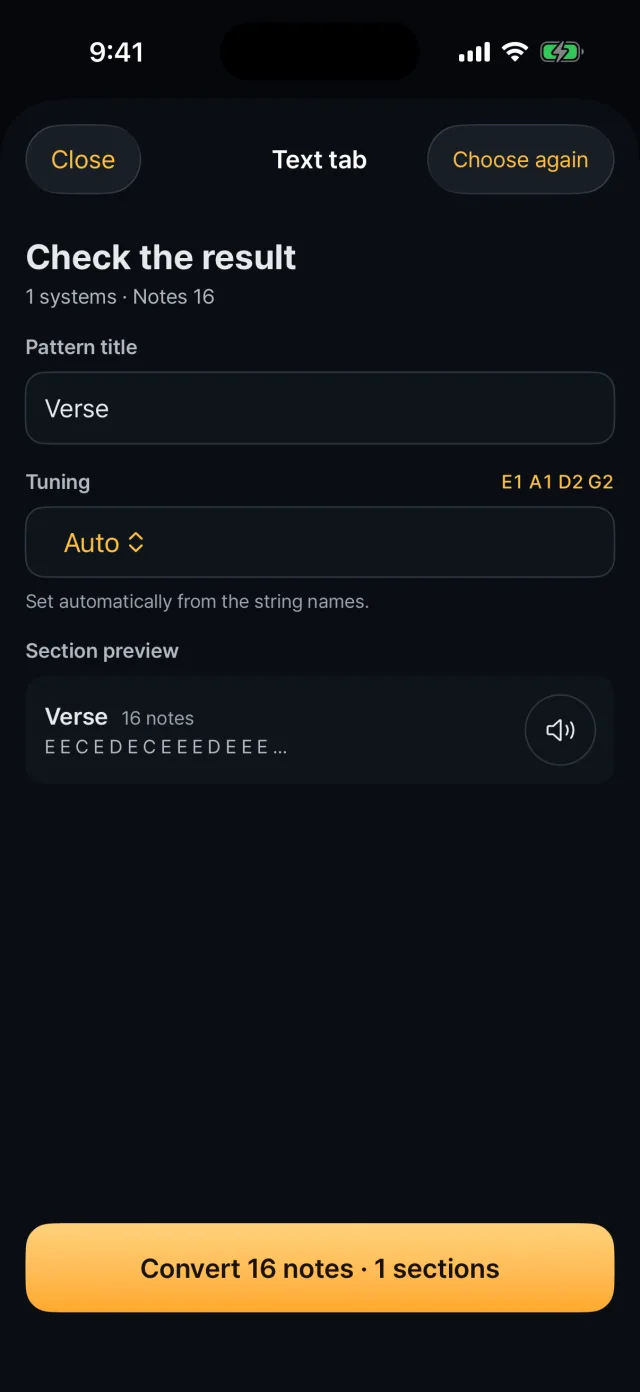
3Set the title, tuning and how to treat simultaneous notes, then convert.
4Fix the notes in the editor once the song is created.
What you set on the result screen
Tuning: auto, 4-string EADG, 5-string BEADG, drop D, or 6-string BEADGC
Simultaneous notes: when notes stack like a chord, only the lowest or only the highest is used. The app plays one note at a time.
Section preview: listen to the first 12 notes.
You cannot edit individual notes on the result screen. Convert first, then edit in the editor.
What is recognized
A PDF exported from notation software is read directly from its text and lines, so it is accurate.
Bar lines, repeats, first and second endings, ghost notes (x), slides, hammer-on and pull-off, and gliss out are read.
Photos and scans are read by image recognition and can be less accurate; compare with the original.
Importing MIDI
Tracks that contain notes are listed with name, channel, note count and range. Choose one.
The percussion channel (10) cannot be chosen. The track with the lowest range is marked as recommended.
Pitch, the order of notes and repeated notes come in. Tempo, note length and rests are not used.
All notes become one section, with every note starting as normal technique and medium strength.
Listening
A tab whose rhythm was confirmed can be played back as written (BPM 40–240; 100 if the tab has no tempo).
Bars that were not confirmed are filled with eighth notes and may differ from the original.
This playback is for checking the source, and editing the song does not change it.