Music Practice

Part focus Pro

Splits a song into six parts (drums, bass, guitar, piano, vocals and other) that you switch on and off. The separation runs on your device.
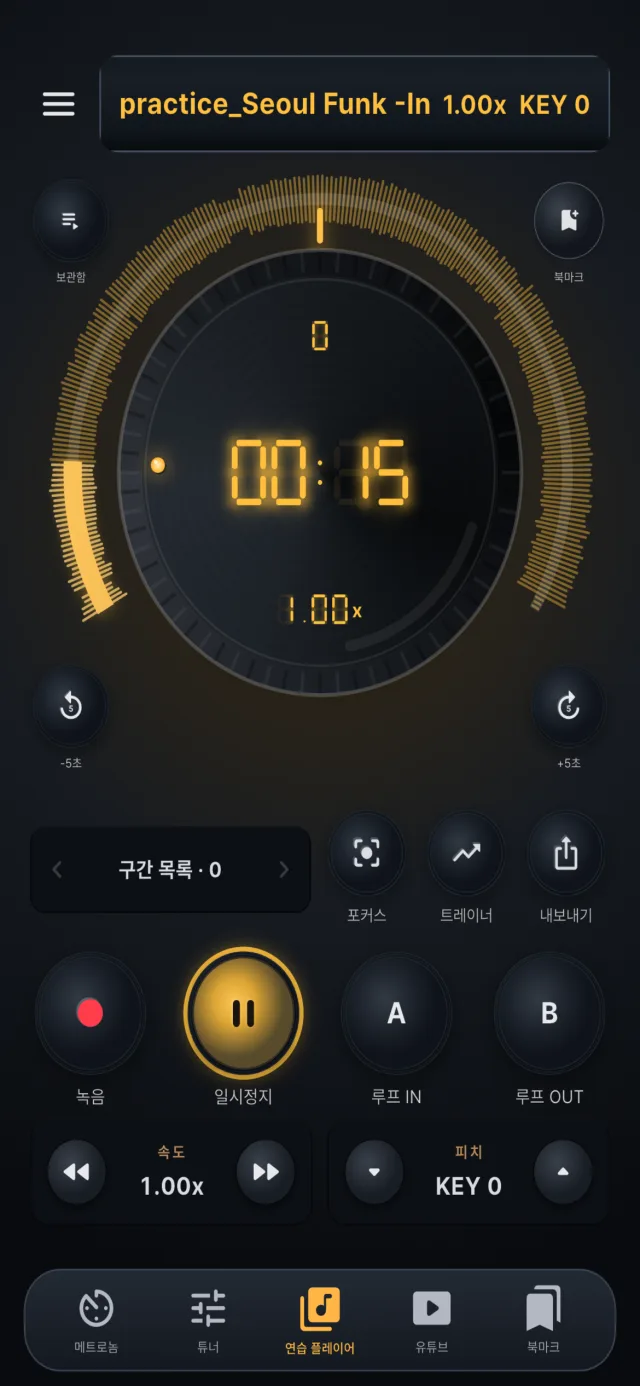
Open part focus from the practice player

Turn your sound on · full mix, drums, bass, guitar

Pro

Hear a song one part at a time

Drop in a song and it is separated into six parts on your device. Mute the bass and play it yourself, keep only the drums to lock in the rhythm, or listen to just the guitar to learn a phrase.

Speed, key and the A/B section keep working with part focus on. Audio export turns the mix you are hearing into a file.

Six parts
drums · bass · guitar · piano · vocals · other
On your device
your audio is not uploaded
Once per song
the result is stored on the device
First use only
the internet is needed only to download the separation model

Turning parts on, off and solo

  • When separation finishes, switch parts on and off one by one in the part focus sheet.
  • Press and hold a part to hear only that part.
  • Switching parts does not need another separation.
  • Drums
  • Bass
  • Guitar
  • Piano
  • Vocals
  • Other (sounds that do not fit the five above)

How to separate a song

  • 1Open a song in the practice player and open part focus.
  • 2The first time, the separation model is downloaded. Its size is shown first, and an internet connection is required.
  • 3A confirmation shows the estimated time. Confirming separates the whole song.
  • 4Progress shows at the top of the player. When it finishes, part selection opens.
  • You can choose parts only after the whole song is done. The original plays in the meantime. If you set an A/B section, that section is processed first, but it does not become usable on its own earlier.

How long it takes

  • It depends on the device.
  • The confirmation shows an estimate based on the speed measured on your device.
  • Newer devices are faster; older devices and very long songs can take several minutes or more.
  • If memory runs short the separation can fail, and a message suggests a shorter song or closing other apps.

Using it with speed, key and sections

  • With part focus on you can still change speed, key and the A/B section.
  • Changing the section rebuilds the mix.
  • Audio export turns the mix you are hearing into a file.

Where results are stored

  • The result is stored on the device as six FLAC files (lossless compression) per song.
  • One song takes tens of megabytes, more for longer songs.
  • A renamed file with the same contents is reused; a file with the same name but different contents is separated again.
  • Separated songs are marked in the library.

Background behavior

  • iOS: separation pauses when the app is in the background or the screen is locked and resumes when you return. Music keeps playing.
  • Android: it continues through a foreground service. It can only be started while the app is on screen.
  • Opening another audio file cancels a separation in progress. It does not continue after you quit the app.

Privacy and offline use

  • Your audio is not uploaded; it is processed on the device.
  • An internet connection is needed only for the first download of the model; separation and playback after that work offline.
  • The model is based on Demucs (Meta AI, MIT license).

Purchase and platforms

  • Part focus is a Pro feature.
  • It works on iOS 15 or later and Android 7.0 or later.